Blog
Automate social media posting with n8n and the MyPostShare Studio API
n8n is a strong fit for social media automation because it can pull content from forms, sheets, AI tools, CRMs, calendars, and internal systems. With MyPostShare Studio, the setup stays simple: connect your social accounts once, create your Studio API key, then use n8n HTTP Request nodes to publish through the accounts you already connected.
What you will build
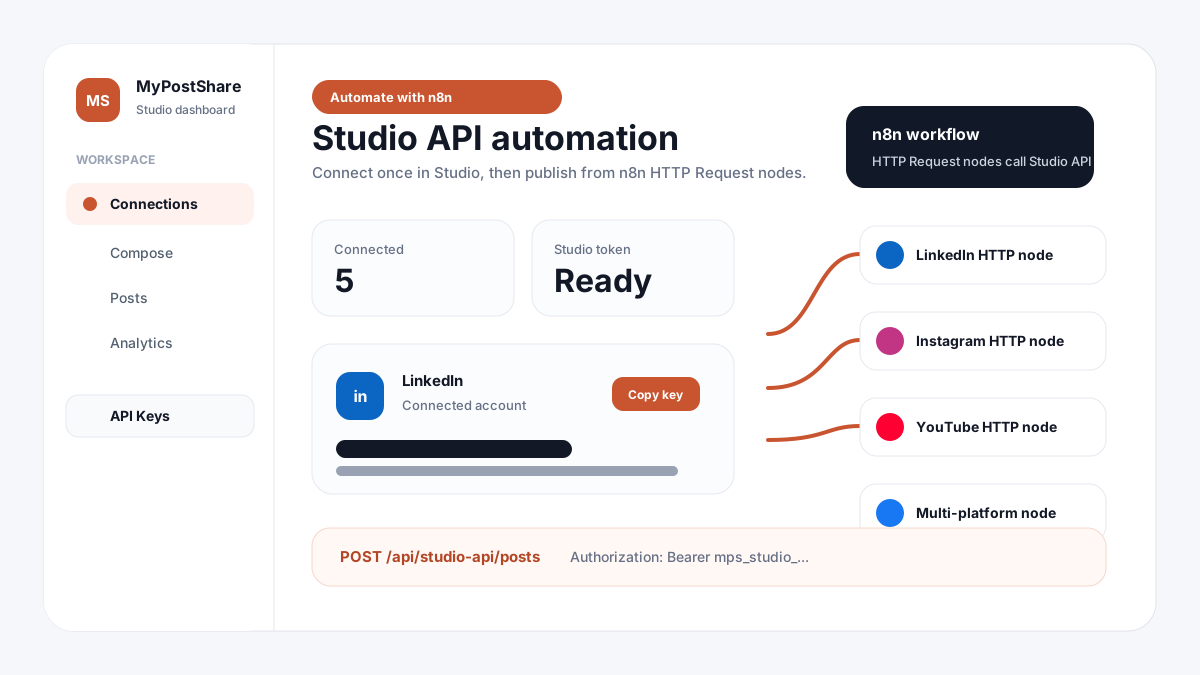
This guide shows how to use the MyPostShare Studio API inside n8n. You will connect accounts in Studio, create a user-owned Studio API key, and paste ready HTTP Request node JSON into n8n for each platform.
Each node sends a POST request to the same Studio endpoint. The platform changes through the platforms array. If the platform needs media, such as Instagram or YouTube, the node includes a public mediaUrl so the provider can fetch the file.
- Connect your social accounts in MyPostShare Studio
- Create one Studio API key from the API Keys page
- Paste HTTP Request node JSON into n8n
- Replace the token and content fields with your own values
- Run the node or connect it to your larger automation workflow
Set up MyPostShare Studio first
Open Studio and sign in with the account that owns the social channels. Go to Connections, connect the platforms you want to automate, then open API Keys. If no key exists yet, click Create API Key. After the key appears, copy it and keep it available for n8n.
The Studio API key belongs to that Studio user. It posts only to accounts connected by that same Studio user, so n8n does not need separate LinkedIn, Instagram, Facebook, or YouTube credentials.
- Studio login: https://mypostshare.com/studio/login
- Connections page: https://mypostshare.com/studio/connections
- API Keys page: https://mypostshare.com/studio/api-keys
- API endpoint: https://mypostshare.com/api/studio-api/posts
n8n setup instructions
In n8n, add an HTTP Request node, open the node menu, and use paste/import from clipboard depending on your n8n version. You can also create a blank HTTP Request node and copy the values manually from the JSON below.
Replace YOUR_STUDIO_API_TOKEN with the token from Studio. Replace the content, mediaUrl, thumbnailUrl, and platform values as needed. For safer production workflows, store your token in an n8n credential or environment variable instead of hardcoding it in every node.
- Method: POST
- URL: https://mypostshare.com/api/studio-api/posts
- Authorization header: Bearer YOUR_STUDIO_API_TOKEN
- Content-Type header: application/json
- Body Content Type: JSON
Base n8n HTTP Request node
{
  "parameters": {
    "method": "POST",
    "url": "https://mypostshare.com/api/studio-api/posts",
    "sendHeaders": true,
    "headerParameters": {
      "parameters": [
        {
          "name": "Authorization",
          "value": "Bearer YOUR_STUDIO_API_TOKEN"
        },
        {
          "name": "Content-Type",
          "value": "application/json"
        }
      ]
    },
    "sendBody": true,
    "specifyBody": "json",
    "jsonBody": {
      "content": "Your post text from n8n",
      "platforms": ["linkedin"]
    },
    "options": {}
  },
  "type": "n8n-nodes-base.httpRequest",
  "typeVersion": 4.2,
  "position": [600, 300],
  "name": "Post with MyPostShare Studio"
}
LinkedIn HTTP Request node for n8n
Use this node when your Studio account has a connected LinkedIn account. The node publishes text to LinkedIn through the Studio API.
LinkedIn post node
{
  "parameters": {
    "method": "POST",
    "url": "https://mypostshare.com/api/studio-api/posts",
    "sendHeaders": true,
    "headerParameters": {
      "parameters": [
        {
          "name": "Authorization",
          "value": "Bearer YOUR_STUDIO_API_TOKEN"
        },
        {
          "name": "Content-Type",
          "value": "application/json"
        }
      ]
    },
    "sendBody": true,
    "specifyBody": "json",
    "jsonBody": {
      "content": "New update from our team. Built with MyPostShare Studio and n8n.",
      "platforms": ["linkedin"]
    },
    "options": {}
  },
  "type": "n8n-nodes-base.httpRequest",
  "typeVersion": 4.2,
  "position": [760, 160],
  "name": "MyPostShare - LinkedIn"
}
Instagram HTTP Request node for n8n
Instagram publishing requires a public image URL and a connected Instagram Professional account in Studio. The mediaUrl should be accessible by Meta, not a private local file.
Instagram image post node
{
  "parameters": {
    "method": "POST",
    "url": "https://mypostshare.com/api/studio-api/posts",
    "sendHeaders": true,
    "headerParameters": {
      "parameters": [
        {
          "name": "Authorization",
          "value": "Bearer YOUR_STUDIO_API_TOKEN"
        },
        {
          "name": "Content-Type",
          "value": "application/json"
        }
      ]
    },
    "sendBody": true,
    "specifyBody": "json",
    "jsonBody": {
      "content": "Behind the scenes from today's launch.",
      "mediaUrl": "https://example.com/public-image.jpg",
      "platforms": ["instagram"]
    },
    "options": {}
  },
  "type": "n8n-nodes-base.httpRequest",
  "typeVersion": 4.2,
  "position": [760, 300],
  "name": "MyPostShare - Instagram"
}
YouTube HTTP Request node for n8n
YouTube publishing requires a public video URL. You can also pass thumbnailUrl when you want MyPostShare to upload a custom thumbnail after the video is created.
YouTube upload node
{
  "parameters": {
    "method": "POST",
    "url": "https://mypostshare.com/api/studio-api/posts",
    "sendHeaders": true,
    "headerParameters": {
      "parameters": [
        {
          "name": "Authorization",
          "value": "Bearer YOUR_STUDIO_API_TOKEN"
        },
        {
          "name": "Content-Type",
          "value": "application/json"
        }
      ]
    },
    "sendBody": true,
    "specifyBody": "json",
    "jsonBody": {
      "title": "Product update video",
      "content": "A short product update published from n8n through MyPostShare Studio.",
      "mediaUrl": "https://example.com/public-video.mp4",
      "thumbnailUrl": "https://example.com/public-thumbnail.jpg",
      "platforms": ["youtube"]
    },
    "options": {}
  },
  "type": "n8n-nodes-base.httpRequest",
  "typeVersion": 4.2,
  "position": [760, 440],
  "name": "MyPostShare - YouTube"
}
Facebook, X, Threads, Pinterest, and Reddit nodes
These nodes use the same endpoint and body shape. Keep only the platform you want inside the platforms array. The account must already be connected in Studio, and the platform must be active in your MyPostShare backend.
Facebook Page post node
{
  "parameters": {
    "method": "POST",
    "url": "https://mypostshare.com/api/studio-api/posts",
    "sendHeaders": true,
    "headerParameters": {
      "parameters": [
        { "name": "Authorization", "value": "Bearer YOUR_STUDIO_API_TOKEN" },
        { "name": "Content-Type", "value": "application/json" }
      ]
    },
    "sendBody": true,
    "specifyBody": "json",
    "jsonBody": {
      "content": "Facebook update from an n8n workflow.",
      "platforms": ["facebook"]
    },
    "options": {}
  },
  "type": "n8n-nodes-base.httpRequest",
  "typeVersion": 4.2,
  "position": [920, 160],
  "name": "MyPostShare - Facebook"
}
X / Twitter post node
{
  "parameters": {
    "method": "POST",
    "url": "https://mypostshare.com/api/studio-api/posts",
    "sendHeaders": true,
    "headerParameters": {
      "parameters": [
        { "name": "Authorization", "value": "Bearer YOUR_STUDIO_API_TOKEN" },
        { "name": "Content-Type", "value": "application/json" }
      ]
    },
    "sendBody": true,
    "specifyBody": "json",
    "jsonBody": {
      "content": "Short update posted from n8n using MyPostShare Studio.",
      "platforms": ["twitter"]
    },
    "options": {}
  },
  "type": "n8n-nodes-base.httpRequest",
  "typeVersion": 4.2,
  "position": [920, 300],
  "name": "MyPostShare - X"
}
Threads post node
{
  "parameters": {
    "method": "POST",
    "url": "https://mypostshare.com/api/studio-api/posts",
    "sendHeaders": true,
    "headerParameters": {
      "parameters": [
        { "name": "Authorization", "value": "Bearer YOUR_STUDIO_API_TOKEN" },
        { "name": "Content-Type", "value": "application/json" }
      ]
    },
    "sendBody": true,
    "specifyBody": "json",
    "jsonBody": {
      "content": "Threads update from a MyPostShare Studio automation.",
      "platforms": ["threads"]
    },
    "options": {}
  },
  "type": "n8n-nodes-base.httpRequest",
  "typeVersion": 4.2,
  "position": [920, 440],
  "name": "MyPostShare - Threads"
}
Pinterest post node
{
  "parameters": {
    "method": "POST",
    "url": "https://mypostshare.com/api/studio-api/posts",
    "sendHeaders": true,
    "headerParameters": {
      "parameters": [
        { "name": "Authorization", "value": "Bearer YOUR_STUDIO_API_TOKEN" },
        { "name": "Content-Type", "value": "application/json" }
      ]
    },
    "sendBody": true,
    "specifyBody": "json",
    "jsonBody": {
      "content": "Pinterest post from n8n.",
      "mediaUrl": "https://example.com/public-image.jpg",
      "platforms": ["pinterest"]
    },
    "options": {}
  },
  "type": "n8n-nodes-base.httpRequest",
  "typeVersion": 4.2,
  "position": [1080, 160],
  "name": "MyPostShare - Pinterest"
}
Reddit post node
{
  "parameters": {
    "method": "POST",
    "url": "https://mypostshare.com/api/studio-api/posts",
    "sendHeaders": true,
    "headerParameters": {
      "parameters": [
        { "name": "Authorization", "value": "Bearer YOUR_STUDIO_API_TOKEN" },
        { "name": "Content-Type", "value": "application/json" }
      ]
    },
    "sendBody": true,
    "specifyBody": "json",
    "jsonBody": {
      "title": "Automation update",
      "content": "Reddit post from n8n using MyPostShare Studio.",
      "platforms": ["reddit"]
    },
    "options": {}
  },
  "type": "n8n-nodes-base.httpRequest",
  "typeVersion": 4.2,
  "position": [1080, 300],
  "name": "MyPostShare - Reddit"
}
Post to multiple platforms in one n8n node
If the same content should go to more than one connected account, send multiple platform names in the platforms array. This is useful for launch announcements, daily updates, and AI-generated content workflows.
Multi-platform Studio post node
{
  "parameters": {
    "method": "POST",
    "url": "https://mypostshare.com/api/studio-api/posts",
    "sendHeaders": true,
    "headerParameters": {
      "parameters": [
        { "name": "Authorization", "value": "Bearer YOUR_STUDIO_API_TOKEN" },
        { "name": "Content-Type", "value": "application/json" }
      ]
    },
    "sendBody": true,
    "specifyBody": "json",
    "jsonBody": {
      "content": "Launch announcement posted to every connected channel from n8n.",
      "mediaUrl": "https://example.com/public-image.jpg",
      "platforms": ["linkedin", "facebook", "instagram"]
    },
    "options": {}
  },
  "type": "n8n-nodes-base.httpRequest",
  "typeVersion": 4.2,
  "position": [600, 520],
  "name": "MyPostShare - Multi Platform"
}
Use n8n expressions for dynamic content
Most real workflows do not use fixed text. You can map content from a previous n8n node, such as a form submission, Airtable row, Google Sheet, RSS item, or AI generation node.
The example below uses n8n expressions for content and mediaUrl. Replace the expression paths with the fields from your own workflow.
Dynamic n8n content node
{
  "parameters": {
    "method": "POST",
    "url": "https://mypostshare.com/api/studio-api/posts",
    "sendHeaders": true,
    "headerParameters": {
      "parameters": [
        { "name": "Authorization", "value": "Bearer {{$env.MYPOSTSHARE_STUDIO_TOKEN}}" },
        { "name": "Content-Type", "value": "application/json" }
      ]
    },
    "sendBody": true,
    "specifyBody": "json",
    "jsonBody": {
      "title": "={{$json.title}}",
      "content": "={{$json.socialPost}}",
      "mediaUrl": "={{$json.mediaUrl}}",
      "platforms": ["linkedin", "instagram"]
    },
    "options": {}
  },
  "type": "n8n-nodes-base.httpRequest",
  "typeVersion": 4.2,
  "position": [600, 680],
  "name": "MyPostShare - Dynamic Post"
}
Troubleshooting
If n8n returns an authorization error, check that the Authorization header starts with Bearer and uses the full Studio API key. If the request succeeds but a platform does not publish, check that the platform is connected in Studio and that your media URL is public.
For Instagram, use an Instagram Professional account connected through the correct Facebook Page. For YouTube, use a public video URL. For any platform, start by testing a text-only LinkedIn or Facebook request first, then add media and more destinations after the basic workflow is working.
- 401 or 403: token missing, token copied incorrectly, or wrong header format
- No connected platform: connect that platform in Studio before running the node
- Instagram media error: use a public image URL and a Professional account
- YouTube media error: use a public video URL
- Platform unavailable: confirm that platform is active in your MyPostShare backend
Next step
Open Studio and create your n8n API key
Sign in to MyPostShare Studio, connect your social accounts, create your Studio API key, and paste the HTTP Request node JSON into n8n to start automating posts.